
Token Generator
The technician's app that generates the codes to sign in as administrator and to change the currency of an account.
The Smart Safe Token Generator is the authorized technician's personal app. It shows an 8-digit code (for example 1234-5678) that changes every 30 minutes. It works without internet.
You need it for two things:
| What for | How it is used |
|---|---|
| Administrator login | It is the password of the glory user in the Smart Safe Client. You need it to sign in the first time, after activating the license. |
| Account currency change | It authorizes changing the currency of an account. You choose the country. |
Ask for it before going to the customer
Without the Token Generator you cannot sign in to the Smart Safe Client after installing it. If you do not have a portal account, ask for one in advance (see step 1).
1. Get your Requester Key
The Token Generator asks for your Requester Key: the same personal key you use to ask for licenses. How to get it, with or without a portal account: Your Requester Key
2. Install the app
For Windows 10 or later. You do not need to be an administrator.
- Download the installer: Token Generator for Windows
- Open it and follow the steps.
3. Activate with your key
- Open the Token Generator.
- Type your key in Requester Key and tap Activate. You need internet for this step.
- Done: the Token Generator now shows codes.
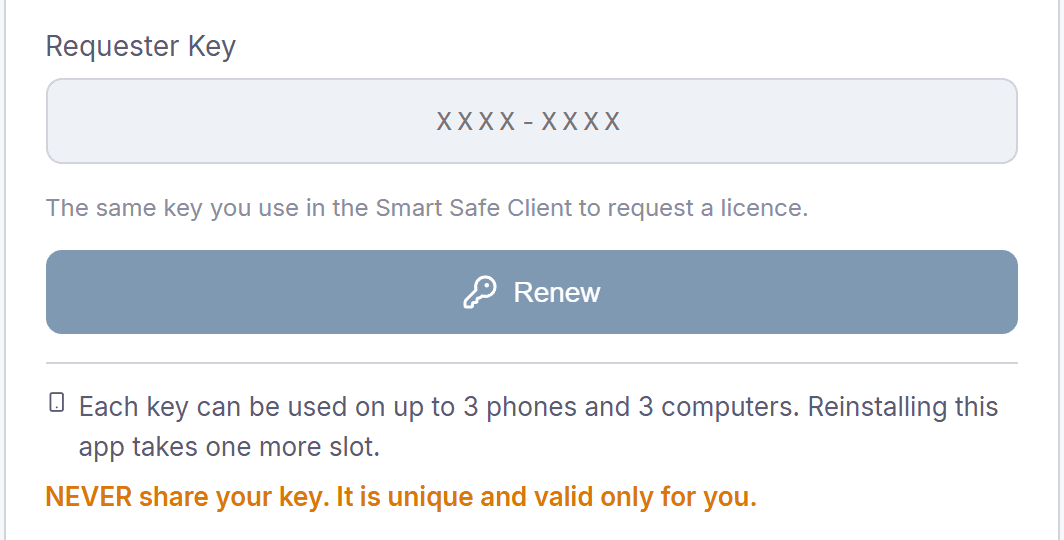
The activation lasts 30 days. In the last 10 days, Renew now appears in the settings (the gear at the top): tap it with internet, type the key again and tap Renew, as in the picture. At the top, Renew in shows how long is left. Each key can be used on up to 3 computers and 3 phones.
4. Sign in to the Smart Safe Client as administrator
On the Smart Safe Client sign-in screen:
- Username:
glory - Password: the Administrator login code that the Token Generator shows (with or without the hyphen).
- Tap Sign In.
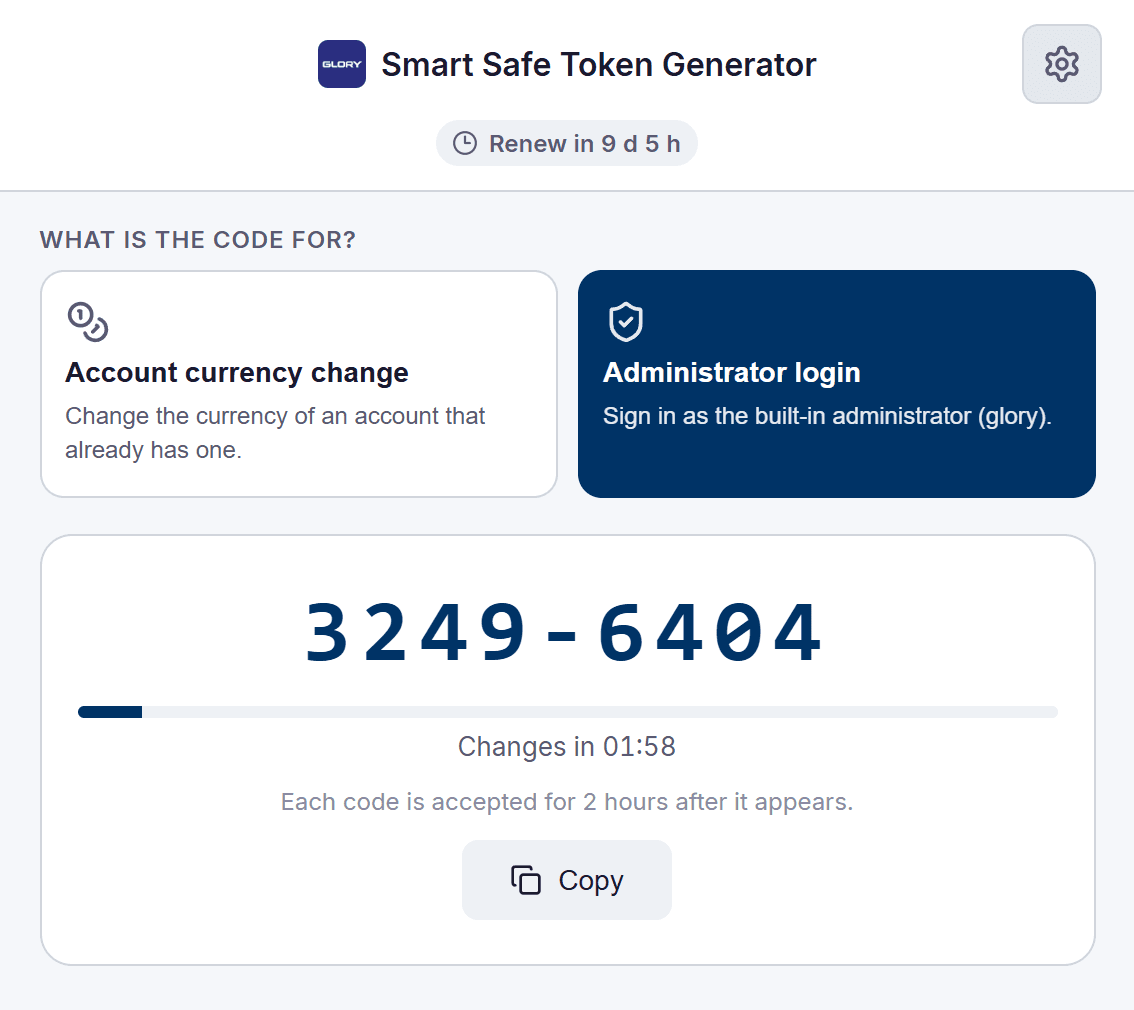
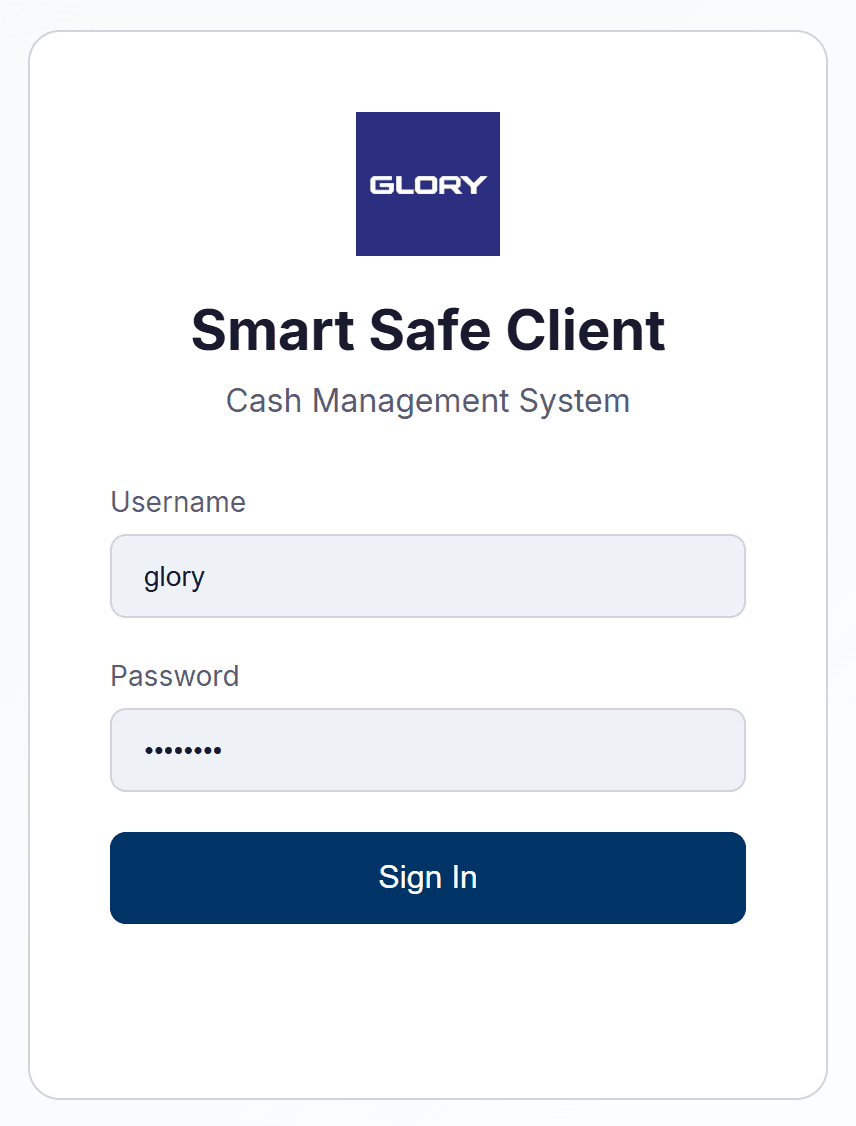
The code changes every 30 minutes (Changes in shows how long is left), but each code is valid for 2 hours from when it appears: there is no need to hurry.
If the code does not work
The code is valid in any time zone, but the date, time and time zone of the phone or computer with the Token Generator and those of the Smart Safe Client computer must be right. This device's time, under the code, helps you compare them. See The clock and the time zone
Next step
With the Token Generator activated:
- If you have not installed the Smart Safe Client yet: 3. Installation
- If you have already installed it: 4. License