Transactions
The list of operations, what each column and status means, and everything the details window shows, operation by operation.
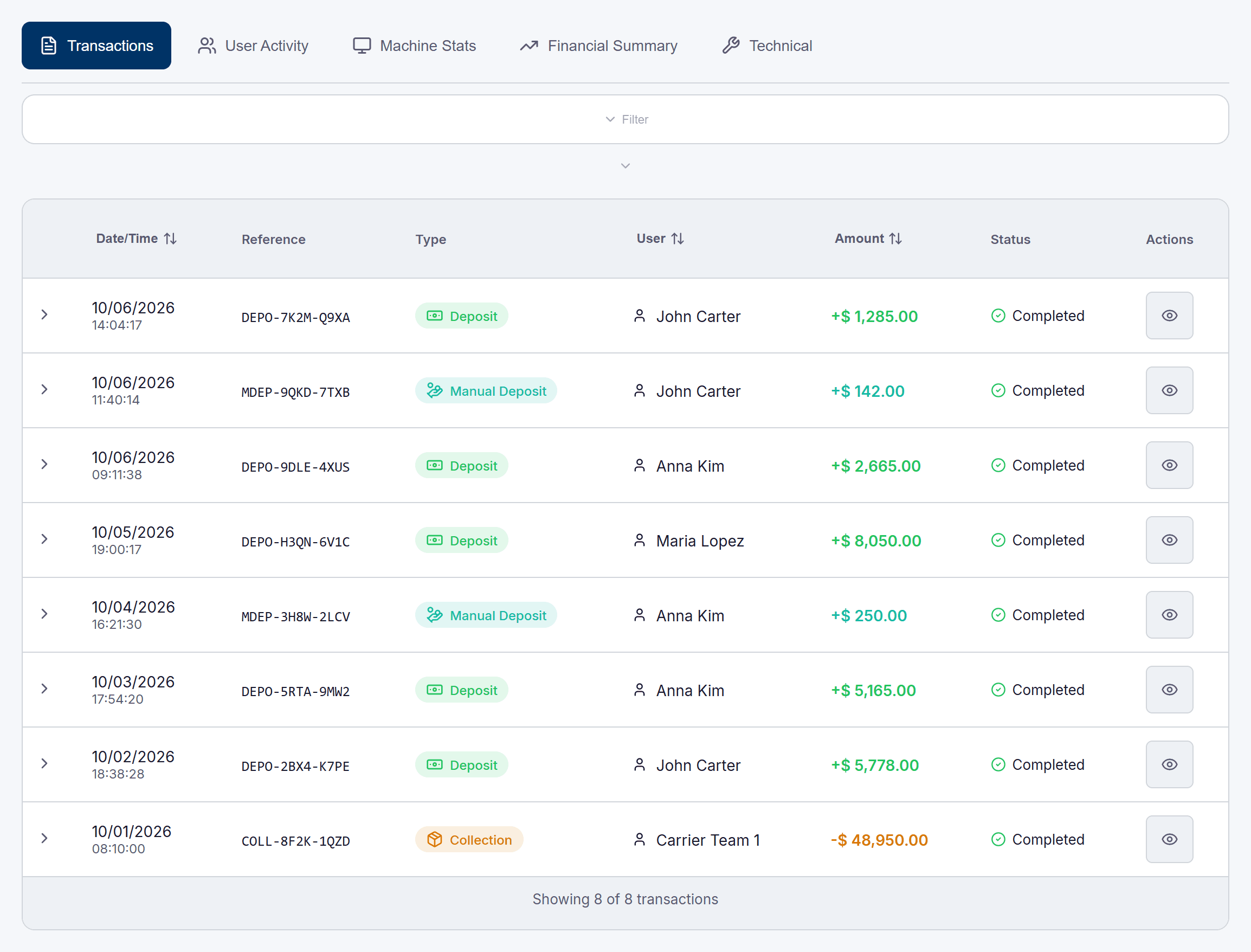
Reports › Transactions lists every operation, the newest first, 20 at a time. Load More shows 20 more; Show All shows them all.
The list
| Column | What it shows |
|---|---|
| Date/Time | When the operation happened. With accounts, in the time of the account's country, with its flag. |
| Reference | The operation's code, for example DEPO-7K2M-Q9XA. It is the same as on the receipt. |
| Type | The kind of operation, in a colored tag: Deposit, Manual Deposit, Collection, Withdrawal, Payment, Change, Replenishment, Transfer, Emptying, Inventory Adjustment, Reconciliation Adjustment. |
| Machine | The device. Only when there is more than one. |
| User | Who did it. With accounts, the account appears below the name. System (automatic) means the Smart Safe Client itself recorded it (an inventory adjustment). |
| Amount | The amount, with + for money that came in (deposits, payments, replenishments) and − for money that went out (withdrawals, collections, emptying). |
| Status | How the operation ended (see below). |
| Actions | The eye opens the details |
Tap Date/Time, User or Amount to sort by that column; tap it again to reverse the order.
Tap a line to open a short summary below it: the reference, how long the operation took, the user's login and the notes and coins.
The statuses
| Status | What it means |
|---|---|
| Completed | The operation ended normally. |
| Completed with a fault | It ended and the money is counted, but something interrupted it: a sensor or the shutter ended it, or a reconciliation closed it. The details say why. |
| Pending | It is still waiting for something: the device is held because of it. |
| Failed | It did not finish. The details show the reason. |
| Cancelled | It was cancelled and no money moved (or it was all given back). |
A deposit returned to the customer before being stored does not appear: nothing happened.
The details window
Tap the eye of a line. The window shows everything the Smart Safe Client knows about that operation.
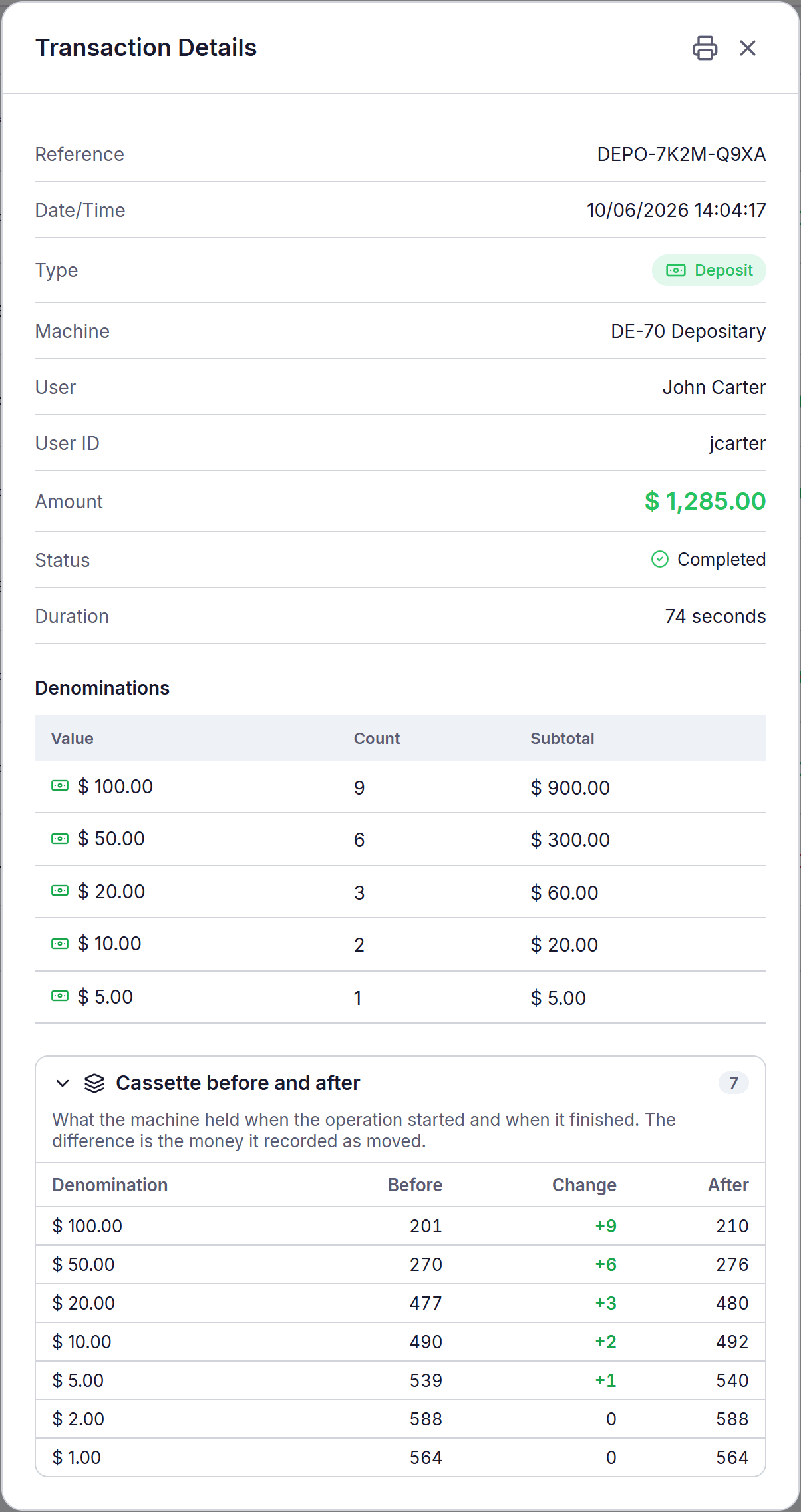
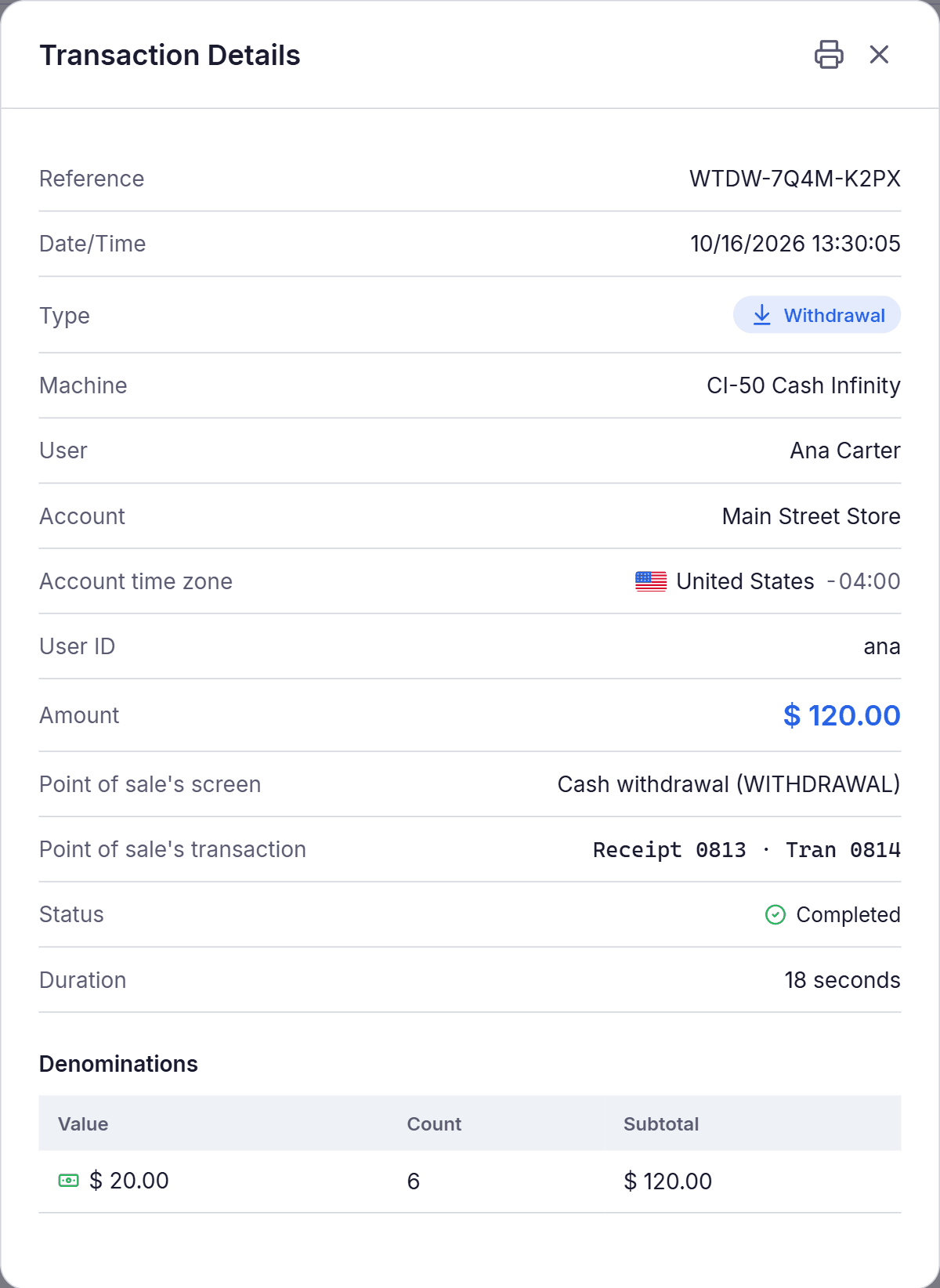
Always: the Reference, Date/Time, Type, Machine, User, Amount, Status and Duration, and the notes and coins in a table (Value, Count, Subtotal).
When it applies:
- Account and Account time zone: with accounts.
- The identifications filled in before the operation, with the names they had at the time.
- Point of sale's screen and Point of sale's transaction: for a withdrawal or a payment whose amount was read from the point of sale with several screens, the screen recognised (with the texts it was found by) and the POS's numbers for the transaction.
- Failure reason: for a failed operation, the device's code and message.
- Why it ended and Resolution: for an operation ended early, or closed in the reconciliation.
- Sensor events during this operation: with a sensor board, what the sensors did while it ran.
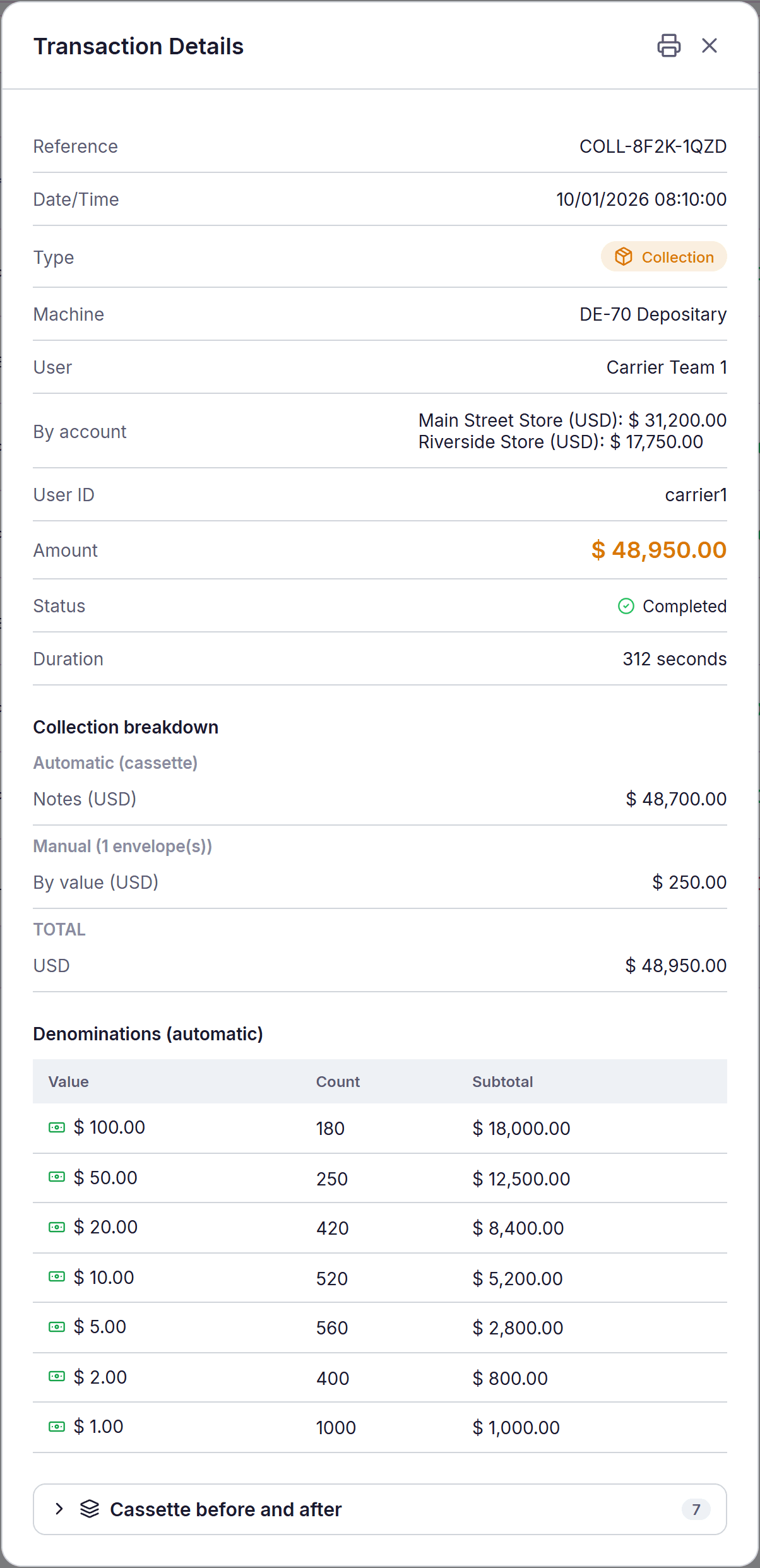
- Cassette before and after: what the device held before and after the operation, value by value, with the difference. It is how you check that the money really moved.
- Deliveries: with integrations, whether the operation was sent to each destination (for example, a cash-in-transit company's system or e-mail). If one refused it, Send again tries again.
The printer button at the top prints the receipt again, marked as a reprint: see Receipts
What changes by operation
| Operation | What the details add |
|---|---|
| Deposit | If the device could not confirm what it held after storing, a note says "deposit to be verified". |
| Manual Deposit | The table only exists if the envelope was declared note by note. The amount is the one declared. |
| Collection | Collection breakdown: the notes from the safe (Automatic), the envelopes (Manual) and the TOTAL per currency. With accounts, By account shows how much belonged to each one. |
| Withdrawal | If it paid a debt, Settlement of names the operation that owed it. If its amount was read from the point of sale, the POS's screen and transaction numbers. |
| Payment (Cash Infinity) | Amount owed, Taken in, Change returned piece by piece, Kept by the safe and Change still owed. |
| Change (Cash Infinity) | Taken in, Paid back piece by piece and Still owed. |
| Transfer and Emptying (Cash Infinity) | What was asked, what moved, what left the machine and what stayed in the upper unit. |
| Replenishment (Cash Infinity) | From the interface cassette: a note says no new money came in. |
| Inventory Adjustment | The difference found, per currency, recorded by the Smart Safe Client itself. |
| Reconciliation Adjustment | Which operation it reconciled, the amount accepted and the Decision. |