
Manual deposit
Dropping a sealed envelope into the DE-70's safe, with the amount the operator declares.
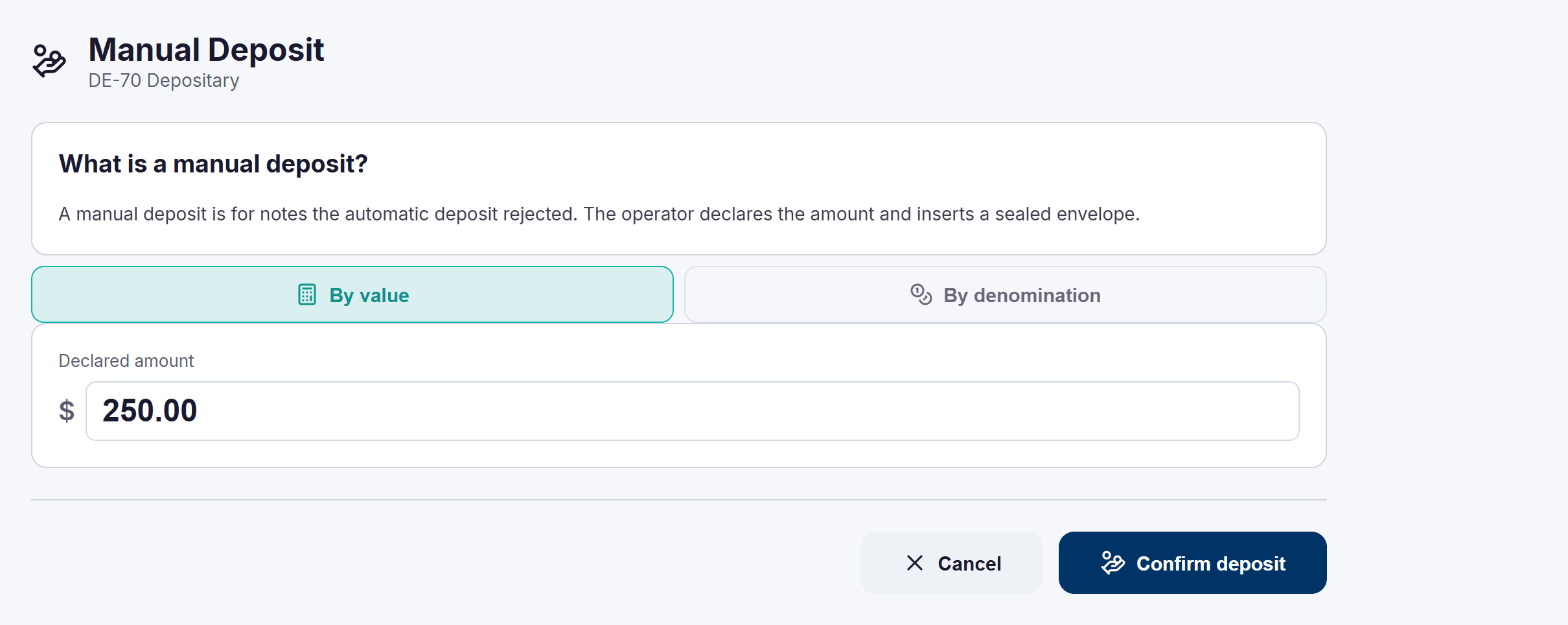
For notes the DE-70 rejected, or money that does not go through the feeder: the operator writes the amount, puts the money in a sealed envelope, and the envelope drops into the safe through the escrow.
Step by step
Tap Manual Deposit.
Write what is in the envelope:
- By value: the total in Declared amount.
- By denomination: how many notes (and coins) of each value. The Total is added up for you.
Tap Confirm deposit. The DE-70 opens the escrow: "Escrow open — place the sealed envelope, then confirm".
Put the sealed envelope in the escrow and tap Envelope placed. The receipt prints.
Good to know
- If no envelope goes in, nothing is recorded: Deposit cancelled.
- The amount of a manual deposit is the one the operator declared: the DE-70 does not count it. The inventory and the reports show it apart from the counted money.
- The envelopes leave the safe with the next collection, and the collection receipt lists them.
- The DE-70 must be on and at rest. If it says Device not ready, recover it in Maintenance first.