
Deposit
Putting notes into the DE-70, storing them in the safe or giving them back, the full escrow, the reject bin, and what to do when it stops.
The DE-70 counts the notes, holds them in the escrow, and only stores them in the safe when the operator decides. See How the DE-70 works
Step by step
Tap Deposit and then Start Deposit. If the customer set up identifications, fill them in first.
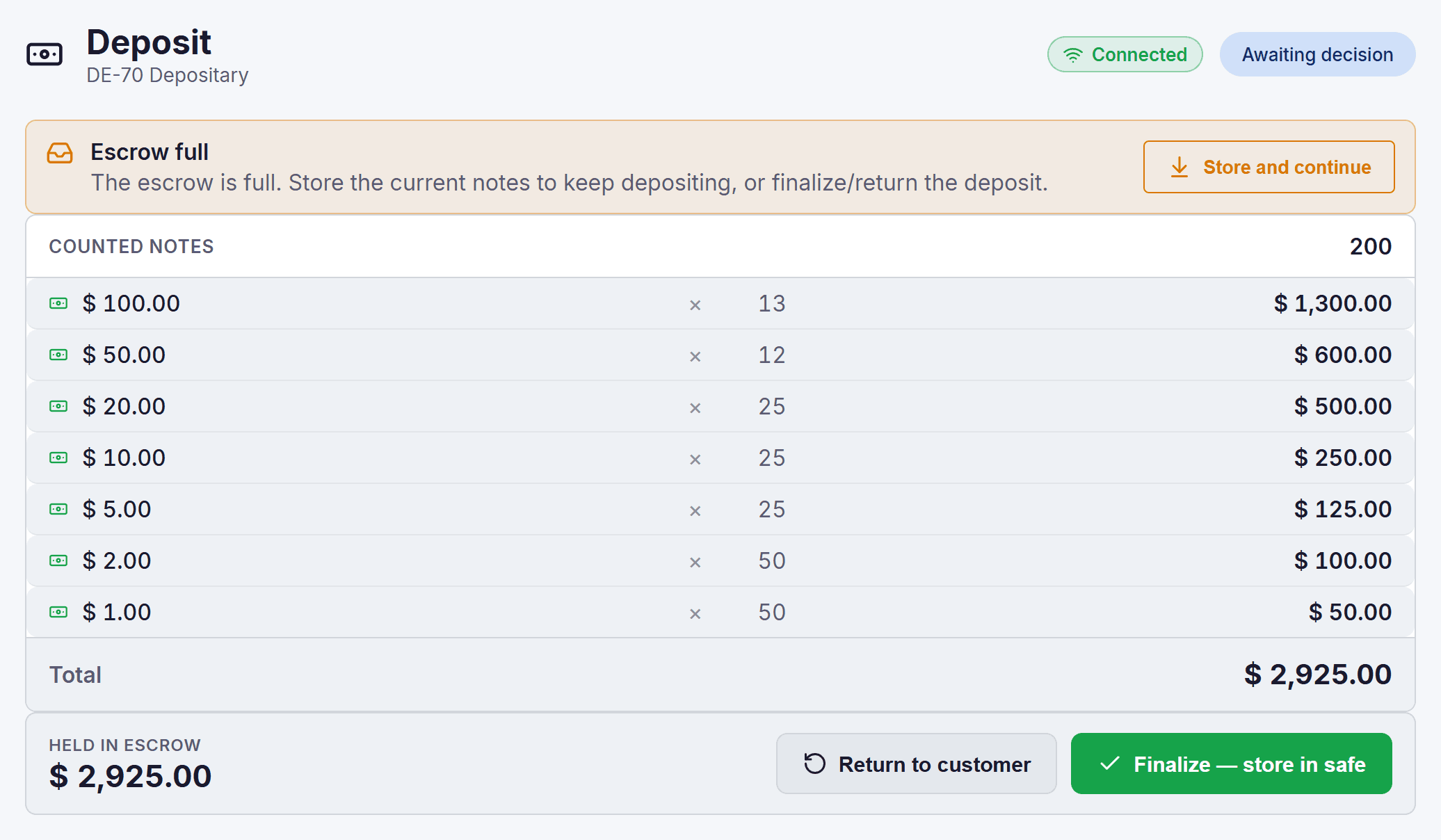
Put the notes in the feeder. The DE-70 counts them and the screen shows each value as it is counted, under Counted notes, with the Total.
When the counted notes are in the escrow, the screen shows Held in escrow with their total, and waits for a decision:
- Finalize — store in safe: the notes go into the safe and the deposit ends.
- Return to customer: the DE-70 gives the notes back through the slot. Take them. Nothing is recorded.
After Finalize — store in safe, the screen shows "Storing the notes in the safe…", the receipt prints and the result shows the deposit's reference.
When the escrow fills up
The screen shows Escrow full: "Store the current notes to keep depositing, or finalize/return the deposit".
- Tap Store and continue: the notes in the escrow go into the safe, and the deposit carries on. Put in the rest of the notes. The screen shows Already stored this deposit with the amount.
- At the end, Finalize — store in safe stores the last notes, and the receipt shows the whole deposit.
After a Store and continue, the button to give notes back changes, because what was stored cannot come back:
| Button | What it does |
|---|---|
| Return current and finalize | Gives back only the notes in the escrow now, and ends the deposit with what was already stored. |
| Finalize deposit | The escrow is empty: ends the deposit with what was already stored. |
Notes in the reject bin
If the DE-70 does not accept a note, it goes to the reject bin and the screen shows Notes in the reject bin. Take them out. When the bin is full (Reject bin full), the deposit only continues after you empty it.
To deposit the rejected notes anyway, use a manual deposit
If the deposit does not start
| The screen says | What to do |
|---|---|
| "This device has reached its … deposit limit" | The device reached one of its limits for deposits: do a collection |
| "The cassette is full to the capacity configured IN THE MACHINE" | The safe reached the number of notes set on the DE-70. Do a collection |
| "Device not connected" or "The device is not responding" | Check that the DE-70 is on, on the main menu, and that the cable is connected. |
| "The cash in the device doesn't match the expected amount" | The device is held. See Reconciliation |
| "Attention" with a sensor message, for example "The safe door is open" | A sensor is not as it should be. Do what the screen says and start again. |
If the DE-70 shows an error during the deposit
The screen shows Device error and the DE-70's own guide for that error. Tap Reset device and follow the screen:
- "REMOVE any notes from the escrow and the feeder to continue": take out the notes.
- "PUT BACK into the escrow the notes you have just removed": the screen lists exactly which notes. Put them back so the DE-70 can store them.
If money had already been stored before the error, the Smart Safe Client records it and prints the receipt: "A device error interrupted the deposit. The … already stored in the safe was recorded".