
Collection
Taking the notes and the envelopes out of the DE-70's safe, guided by the sensor board or by hand.
The collection takes the money out of the safe: the notes the DE-70 stored and the manual deposit envelopes.
Step by step
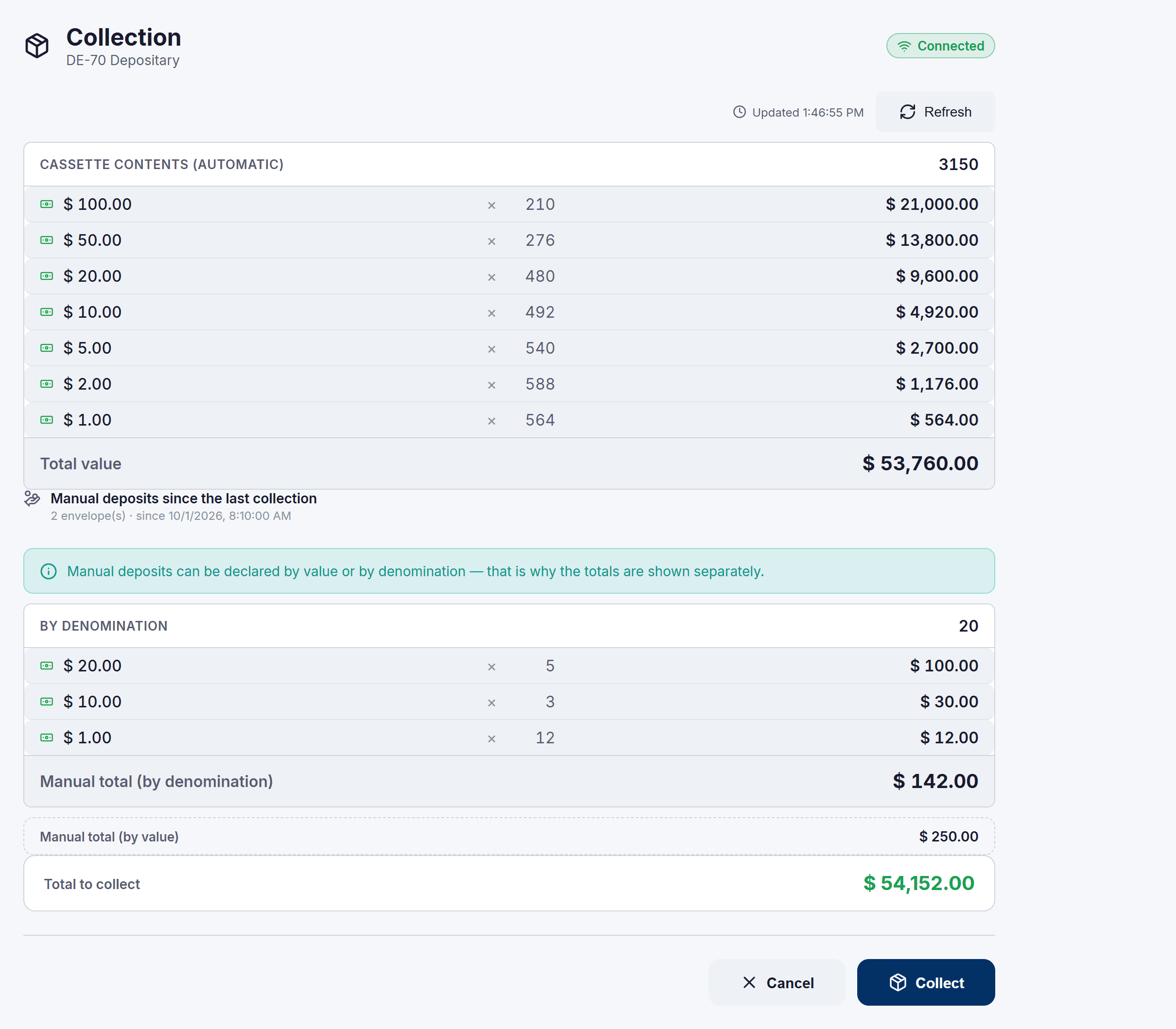
Tap Collection. The screen shows:
- Cassette contents: the notes stored, by value, with their total.
- Manual deposits since the last collection: how many envelopes, by denomination and by value.
- Total to collect.
Tap Collect and follow the screen (see below).
The collection receipt prints: the notes, the envelopes and the total per currency. With accounts, it also shows how much belongs to each one.
With a sensor board
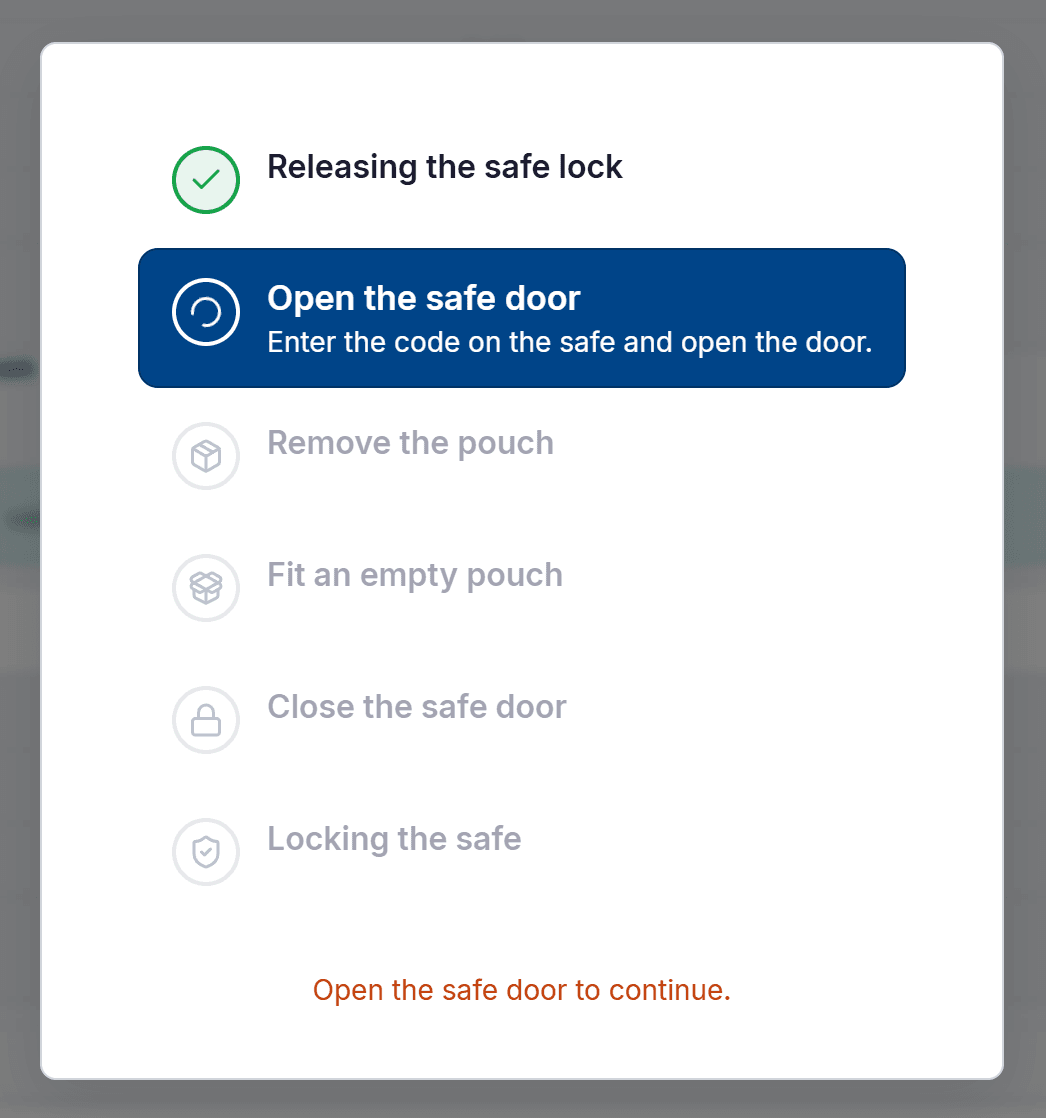
With a sensor board on the safe, the collection is guided, step by step, and ends by itself:
- Releasing the safe lock: wait.
- Open the safe door: enter the code on the safe and open it.
- Remove the pouch: take out the full pouch.
- Fit an empty pouch: without one, the DE-70 cannot take more deposits.
- Close the safe door.
- Locking the safe: wait. The collection is recorded and the receipt prints.
If the door is closed again with the pouch still inside, nothing is recorded: Collection not performed, and the device is held.
Without a sensor board
The screen says "Please empty the equipment to perform the collection". Take out the pouch and the envelopes, put in an empty pouch and tap I've emptied the equipment.
If nobody taps it within 30 minutes, nothing is recorded (Collection timed out) and the device is held.
A collection not finished holds the device
After Collection not performed or Collection timed out, the money in the safe no longer matches what the Smart Safe Client counted: the device is held until someone checks it. See Reconciliation