
Operating the Cash Infinity
How the Cash Infinity works, which operations it offers, and what to know before the first one.
How the Cash Infinity works
The Cash Infinity (models CI-50, CI-10 and CI-10X) is a recycler: it takes notes and coins in, keeps them, and pays them out again: the money deposited is the money it gives as change, withdrawals and payments.
Its parts:
| Part | What happens there |
|---|---|
| Entrance | Where the operator or the customer puts the notes (and the coins, in their own entrance). |
| Recyclers | The compartments where the money is kept, sorted by value. Deposits go here, and every payout comes from here. |
| Collection cassette (notes) and coin box | Where the money goes when its recycler is full, or when that value is not paid out. They are taken out in a collection. |
| Interface cassette (I/F) | Only on some machines: a collection cassette that can also load the recyclers (a replenishment from the cassette). |
| Upper unit | Where a note that got stuck while being paid out goes when the machine is reset. It is counted, but it is not paid out until a technician opens the unit. |
| Outlet | Where the notes and coins paid out come out. The machine waits until the outlet is empty before going on. |
What is different from the DE-70
- There is no escrow. The notes and coins go into the recyclers as soon as they are counted. During a deposit, Return to customer does not give back the same notes: the machine pays back the same amount from its recyclers, maybe in other notes and coins, and only as far as it has them. What it cannot pay back stays deposited, and the receipt says so.
- It takes coins. The receipts always show Notes and Coins apart.
- It pays out. So it has operations the DE-70 does not have: withdrawal, payment, change, replenishment, transfer and emptying.
Each person with their own user
The Cash Infinity records every operation under the person who did it: the first time someone signs in to the Smart Safe Client, their user is created on the machine too, with the same password. That is why:
- Each person must sign in with their own user, never someone else's.
- The usernames and passwords follow the Cash Infinity's rules (up to 10 characters in the username): see Users
The operations
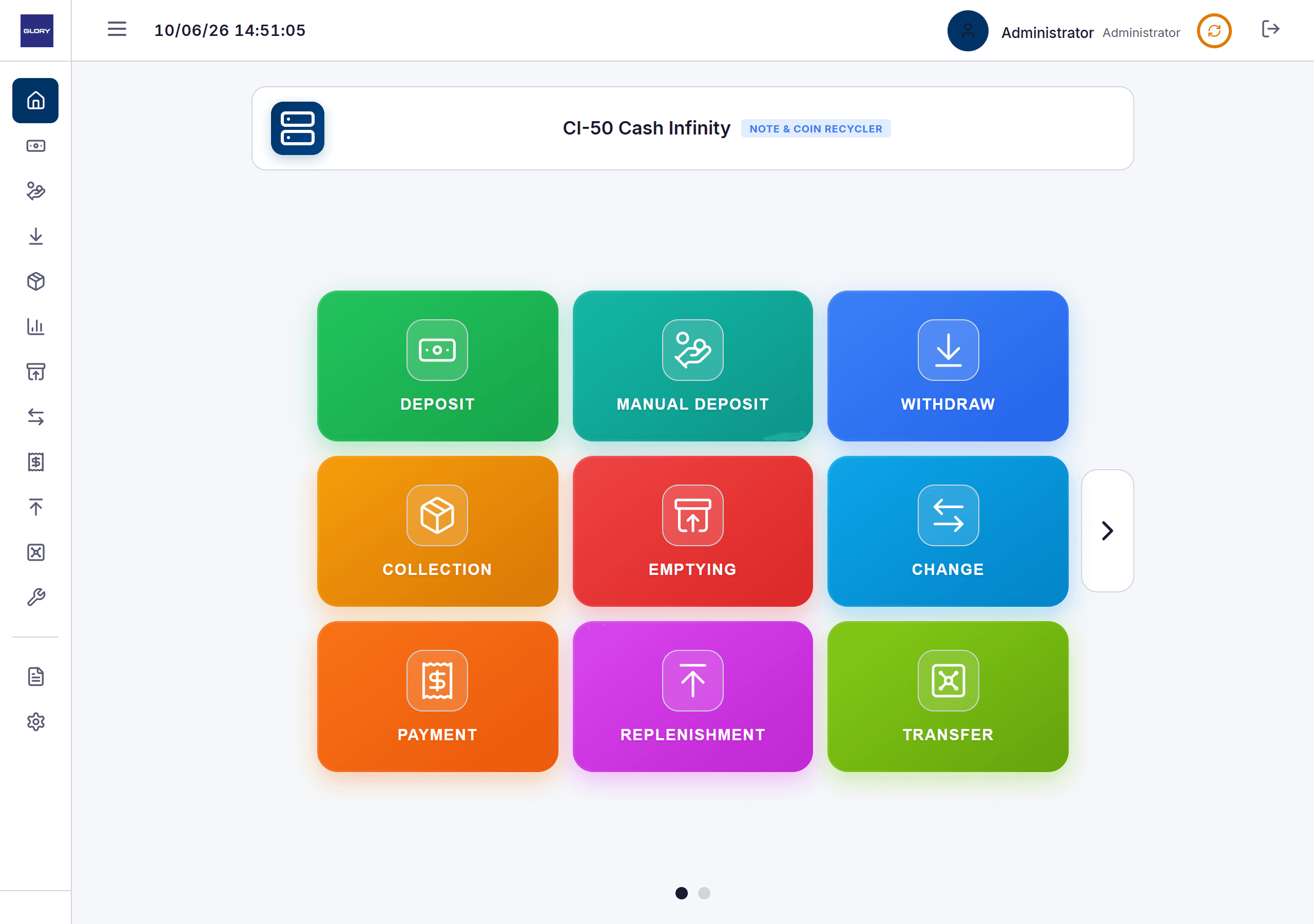
The home screen shows the operations each profile allows (see Profiles and permissions)
| Operation | What for |
|---|---|
| Deposit | Put money in. |
| Manual Deposit | Record an envelope kept in the safe (the Cash Infinity does not take envelopes). |
| Withdraw | Take money out: by amount, by denomination, or a change kit. |
| Payment | Charge a customer: they put the money in and the machine gives the change. |
| Change | Exchange money for other notes and coins of the same total. |
| Replenishment | Load the money the machine needs to give change. |
| Transfer | Move money from the recyclers to the collection cassette. |
| Emptying | Take money out of the recyclers through the outlet. |
| Collection | Take out the note cassette or the coin box. |
| Inventory | See what the machine holds. |
| Maintenance | See the machine's state, reset it, open the upper unit. |
Money the machine still owes
Sometimes the machine cannot pay everything it should: a withdrawal it could only pay in part, change it could not return in full, an exchange left halfway. The Smart Safe Client then records the difference as owed to that person, and:
- The home screen shows it to that person: Pending payout, Change owed or Exchange owed, with the amount. Tapping it opens the screen that pays it.
- On that screen, Pay now pays it as soon as the machine has the money. Until then, that screen offers nothing else to that person.
See Pending payouts
When the machine stops in the middle
If the machine stops while paying out and cannot say what came out, the Smart Safe Client:
- Prints an INCIDENT NOTICE. It is not a receipt: it has no amount, because nothing is confirmed. See Receipts
- Keeps the operation open and holds the machine.
Then a person with permission:
- On the Maintenance screen, follows the machine's guide and taps Reset device (as many times as needed).
- On the Reconciliation Required screen, re-checks the machine and closes the pending item at the amount the machine measured. The real receipt prints then. See Reconciliation