
Change
Exchanging money for other notes and coins of the same total with the Cash Infinity.
Change exchanges money: the customer puts some notes and coins in, and the operator chooses the ones the machine gives back, for exactly the same total. For example, a 100 note for five 20 notes. In a new installation, the Administrator and the Manager can do it.
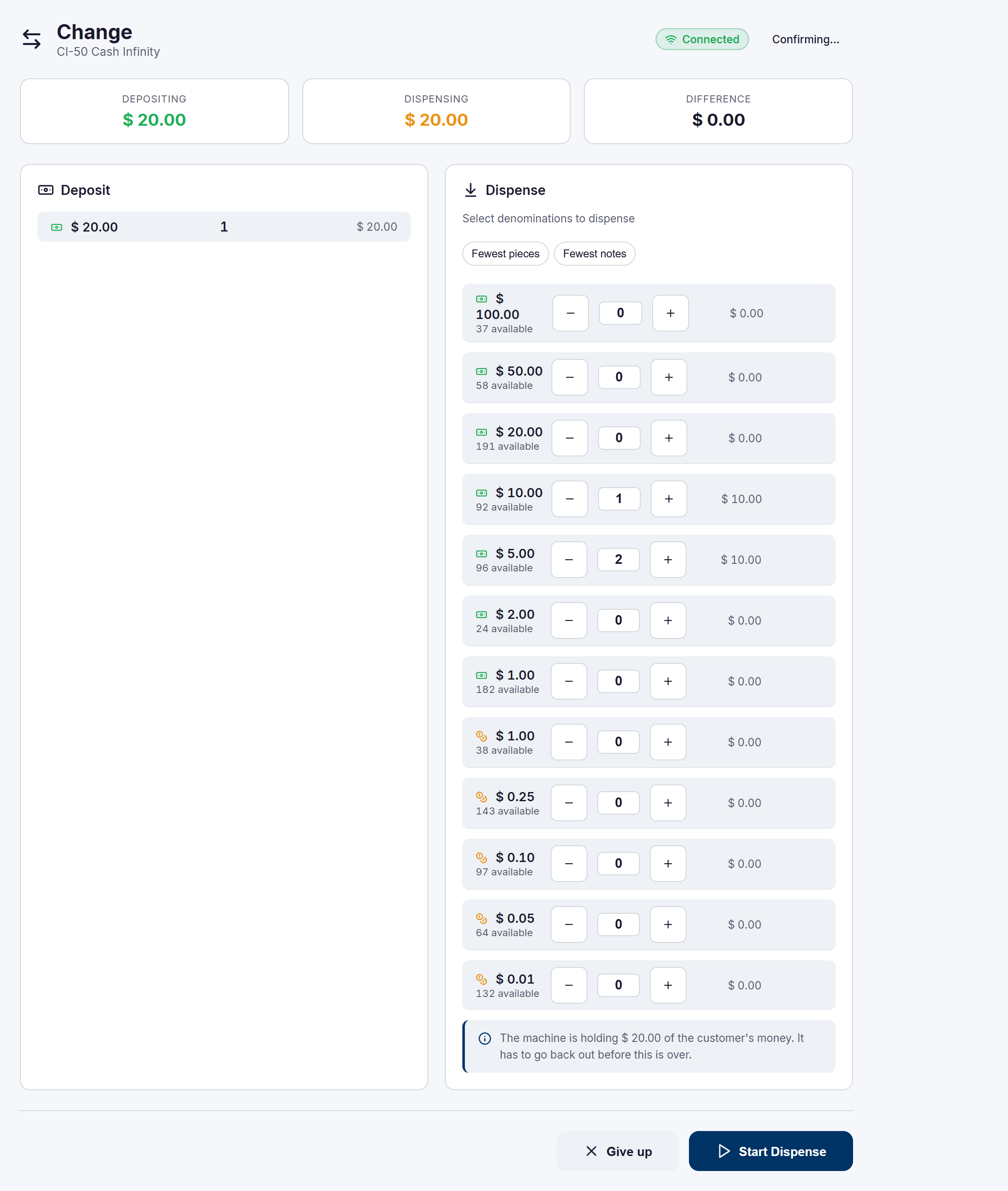
Tap Change and then Start Change. "Ask the customer to feed the cash in".
The customer puts the money in. The screen shows it under Depositing. When everything is in, tap Confirm Deposit (it waits while the machine is still counting).
In Select denominations to dispense, choose the notes and coins to give back. Each value shows how many the machine has. Quick choices: Mixed denominations, Fewest coins, Fewest notes, Fewest pieces.
Difference must reach zero: the total given back is the total that came in.
Tap Start Dispense. The machine pays back ("Paying back…"). Take the money from the outlet. The receipt prints.
Give up
Give up stops the exchange:
- While the customer is putting the money in: the machine gives back what came in. "Exchange cancelled. The machine handed … back".
- After Confirm Deposit: the screen asks. Hand it back now gives the money back (the same notes and coins, if the machine still has them, or others of the same total); Leave it owed frees the machine and records the exchange as owed to the customer.
Exchange owed
If the machine cannot pay back the whole exchange, the difference is recorded as owed, like the change owed of a payment: the home screen shows Exchange owed, and the Change screen shows the debt (Difference owed) first. Pay now pays it.
If the machine stops
If the machine stops and cannot say what it gave back, an INCIDENT NOTICE prints (it is not a receipt), the exchange stays open and the machine is held. A person with permission resets it on the Maintenance screen and closes it in Reconciliation