
Withdrawal
Taking money out of the Cash Infinity by amount, by denomination or as a change kit, and paying what the machine still owes.
A withdrawal takes money out of the recyclers, through the outlet. In a new installation, the Administrator and the Manager can withdraw in every way, and the Operator only with a change kit or with the amount read from the point of sale (see Withdraw only the amount read from the point of sale).
Withdraw
Tap Withdraw. Choose how, on the tabs at the top (each profile sees the ways it is allowed):
- By amount: type the amount in Withdraw Amount, or tap one of the Quick Amounts. The machine chooses the notes and coins.
- By denomination: choose how many notes and coins of each value. Each value shows how many the machine has (available), and Total to pay adds them up.
- By kit: tap a change kit, a set of notes and coins prepared in advance, and Pay kit.
Tap Pay out. The screen shows "Paying out cash…" and how much came out so far.
Take the money from the outlet. The receipt prints and the result shows the withdrawal's reference.
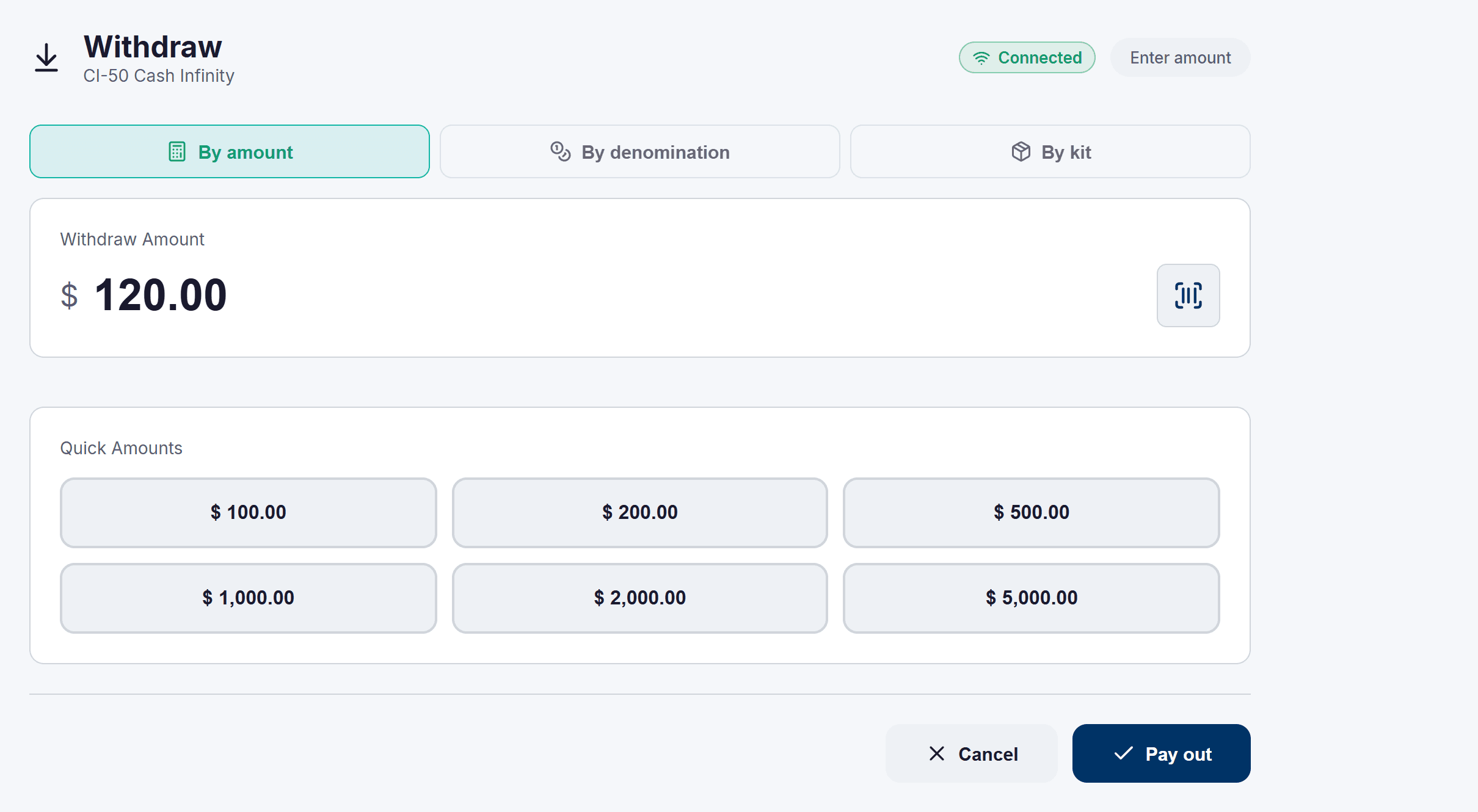
The amount from the point of sale
If the OCR is set up, the Read the amount from the point of sale button, at the end of Withdraw Amount, fills in the amount from the POS screen. The line under the field says what was read: with several screens, also the screen recognised and the POS's numbers for the transaction. Compare it with the POS screen before you tap Pay out. While it reads, the screen and the menu wait: a tap shows "Reading the amount on the point of sale's screen — please wait a moment."
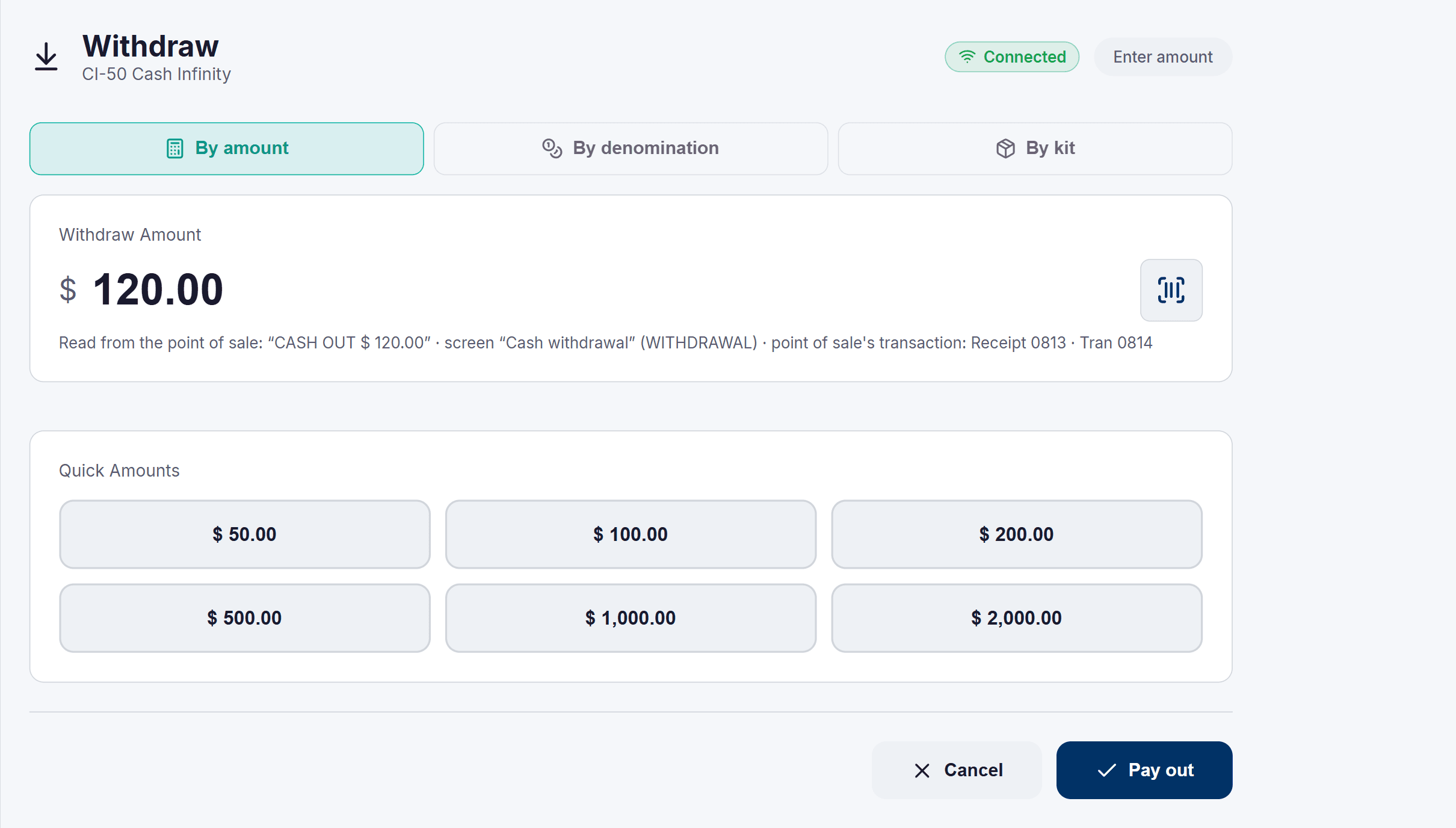
- A POS screen meant for a payment fills in nothing: "The point of sale's screen shows “Sale”, which is a payment. Use the Payment screen."
- When the screen has transaction numbers, a POS transaction already paid in the last 24 hours is not paid again, neither when it is read nor when you tap Pay out: "This point of sale's transaction (Receipt 0813 · Tran 0814) was already paid in withdrawal WTDW-…. It is not paid again."
- With one screen, if the amount read is negative, the screen asks whether the POS really shows a negative amount (a refund, for example): Yes, convert pays it as positive, No, discard it ignores the reading.
Withdraw only the amount read from the point of sale
The Type the withdrawal amount permission of the profile decides whether the amount may be typed. Without it, the By amount tab takes the amount only from the POS screen: the field cannot be typed in, the Quick Amounts do not appear, and Pay out only works after a reading. The screen says: "Your profile only withdraws the amount read off the point of sale's screen: tap Read the amount from the point of sale."
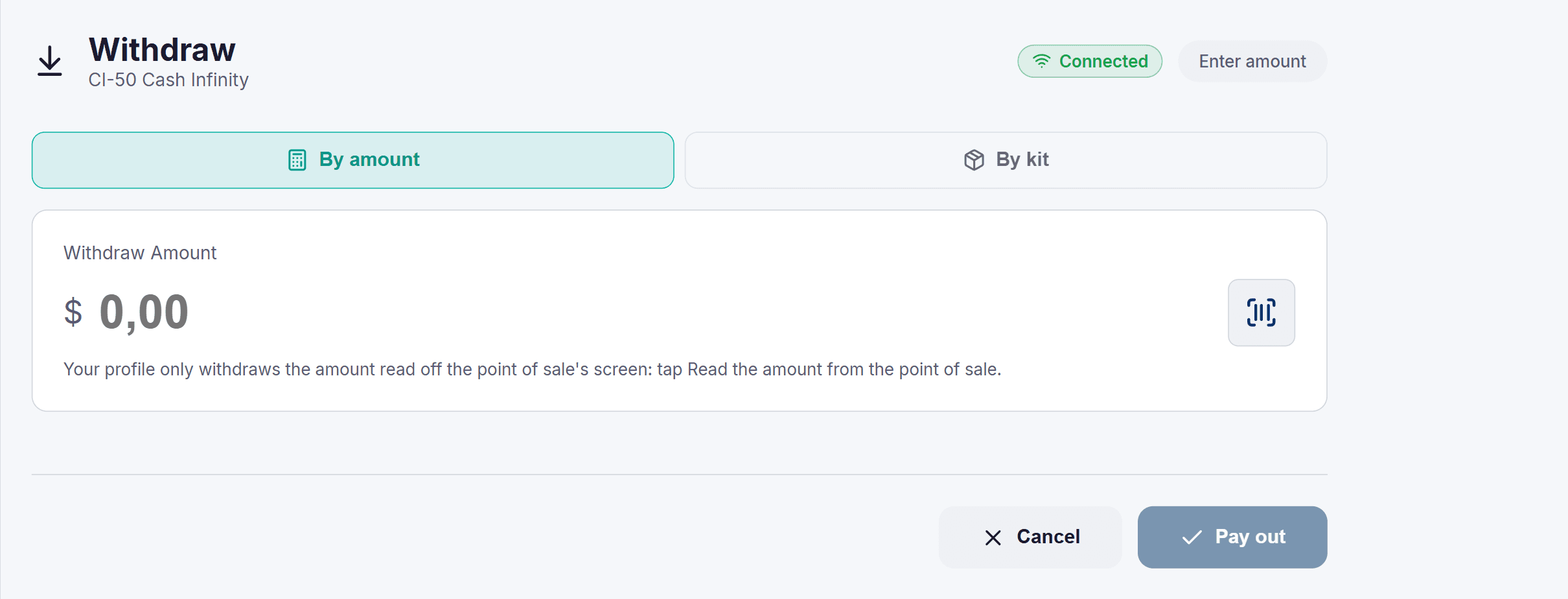
That way, a cashier pays exactly what the POS shows, and the same POS transaction is never paid twice. In a new installation, the Operator has no Type the withdrawal amount; the Administrator and the Manager have it. To change it, see Profiles
On a Cash Infinity without the OCR set up, a profile without Type the withdrawal amount does not see the By amount tab. If it has no other way to withdraw, the screen says: "Your profile only withdraws the amount read off the point of sale's screen, and this machine has no screen reader configured. Ask a manager."
When the machine cannot pay everything
If the machine does not have the notes and coins to pay the exact amount, it says so before paying: The device cannot pay the full amount, with what it can pay. Tap Pay what it can or Cancel.
What it could not pay is recorded as a pending payout to you, and the receipt says "PARTIAL PAYOUT".
Limits
If a withdrawal limit applies to you (per withdrawal, per day, pieces, period or shift), the withdrawal that would go over it does not start, and the screen says which limit it is.
Pending payouts
A pending payout is money the machine owes someone: a withdrawal it paid only in part. The home screen shows it to that person (Pending payout, with the amount), and the Withdraw screen shows nothing else until it is paid.
Open the Withdraw screen. Under Pending payouts, each debt shows how much and to whom.
Tap Pay now. The machine pays it and the debt is closed. The receipt says which operation it settles: "Settlement of Withdrawal WTDW-…".
If the withdrawal was by denomination, the debt is owed in those same notes and coins. If the machine does not have them, choose:
- Wait for a replenishment: the debt stays open until the machine has those pieces again.
- Pay by value: pays the same amount in other notes and coins.
If the machine does not have enough money at all, ask for a deposit or a replenishment first.
Paying a pending payout does not count against the withdrawal limits.
If the machine stops while paying
The screen shows Device fault during the payout, with the machine's guide. What came out is recorded, and what was not paid becomes a pending payout.
If the machine stops and cannot say what came out:
- An INCIDENT NOTICE prints: it is not a receipt. Check the outlet.
- The withdrawal stays open and the machine is held. A person with permission resets it on the Maintenance screen and closes it in Reconciliation
No reset on the withdrawal screen
The withdrawal screen has no reset button, on purpose: resetting with a note stuck in the wrong place can tear it. The technician decides, on the Maintenance screen, following the machine's guide.