
Replenishment
Loading the Cash Infinity with the money it needs to give change, through the entrance or from the interface cassette.
A replenishment loads the recyclers with money to give change (the change fund): it is not a sale and not a deposit. The reports keep it apart from the deposits, and the deposit limits do not apply to it.
In a new installation, the Administrator, the Manager and the Technician can replenish.
Two ways
| Way | When |
|---|---|
| Through the entrance | The person puts the notes and coins in the entrances, and the machine counts them into the recyclers, like a deposit. |
| From the interface cassette | Only on a machine with an interface cassette (I/F): the machine moves the money of a loaded cassette into the recyclers by itself. |
Each profile has the ways it is allowed (Profiles and permissions lists them). A profile with both is asked How do you want to replenish? when it taps Replenishment; Change the way asks again.
Through the entrance
Tap Replenishment (and Through the entrance, if asked). Tap Start Replenishment.
Put the notes and coins in the entrances. The screen counts them, under Counted notes and coins.
Tap Finish replenishment. The receipt REPLENISHMENT prints.
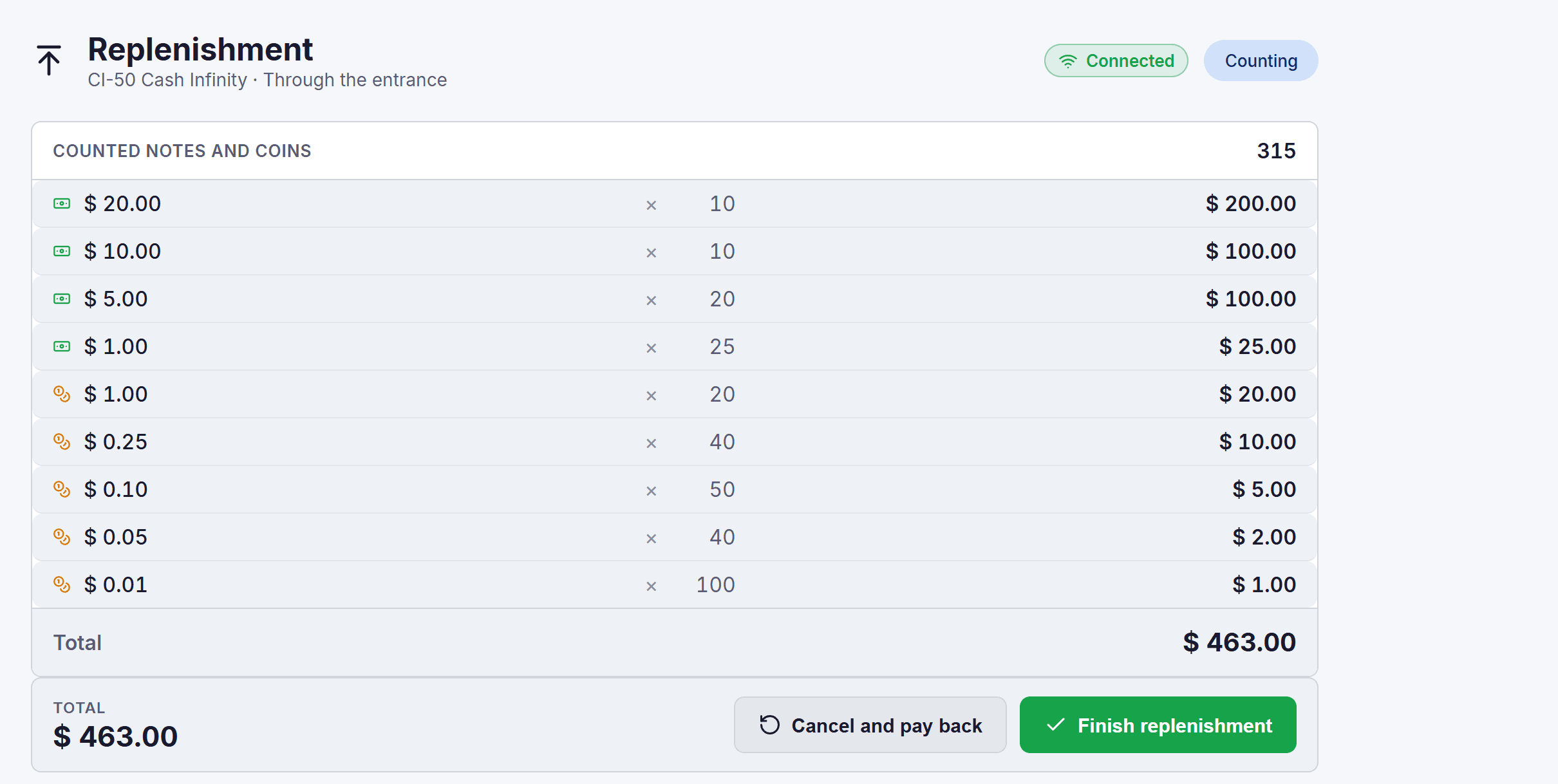
Cancel and pay back gives back what came in, like a deposit returned: the same amount, in the notes and coins the machine has. What it cannot pay back stays in as replenishment, and the receipt says so.
From the interface cassette
Fit the loaded interface cassette in the machine.
Tap Replenishment and From the interface cassette. In Which unit does the cassette feed?, choose Notes, Coins or Notes and coins.
Tap Start Replenishment. The machine moves the money into the recyclers: "The machine is moving the pieces from the interface cassette into the recyclers…".
When it stops, tap Finish replenishment. The receipt says "Internal replenishment": the money was already in the machine, in the cassette, so no new money came in.
If the machine has no interface cassette, this way does not appear: "This machine has no collection cassette (I/F)".
If the machine shows an error
As in a deposit: follow the machine's guide and tap Reset device. The reset confirms what had entered, and the Smart Safe Client records it. If the reset fails with money inside, a notice prints (it is not a receipt: the amount is not final yet), and the machine is held until the reconciliation