
Collection
Taking the note cassette or the coin box out of the Cash Infinity, step by step.
The collection takes out one of the two containers where the money ends up: the note cassette or the coin box. The machine releases it, the person takes it out and puts an empty one in. The money in the recyclers stays in the machine: to take it to the cassette first, use a transfer
In a new installation, the Administrator, the Manager, the Technician and the Collection (Carrier) profile can collect both containers. Each profile can be limited to one of them (see Profiles and permissions)
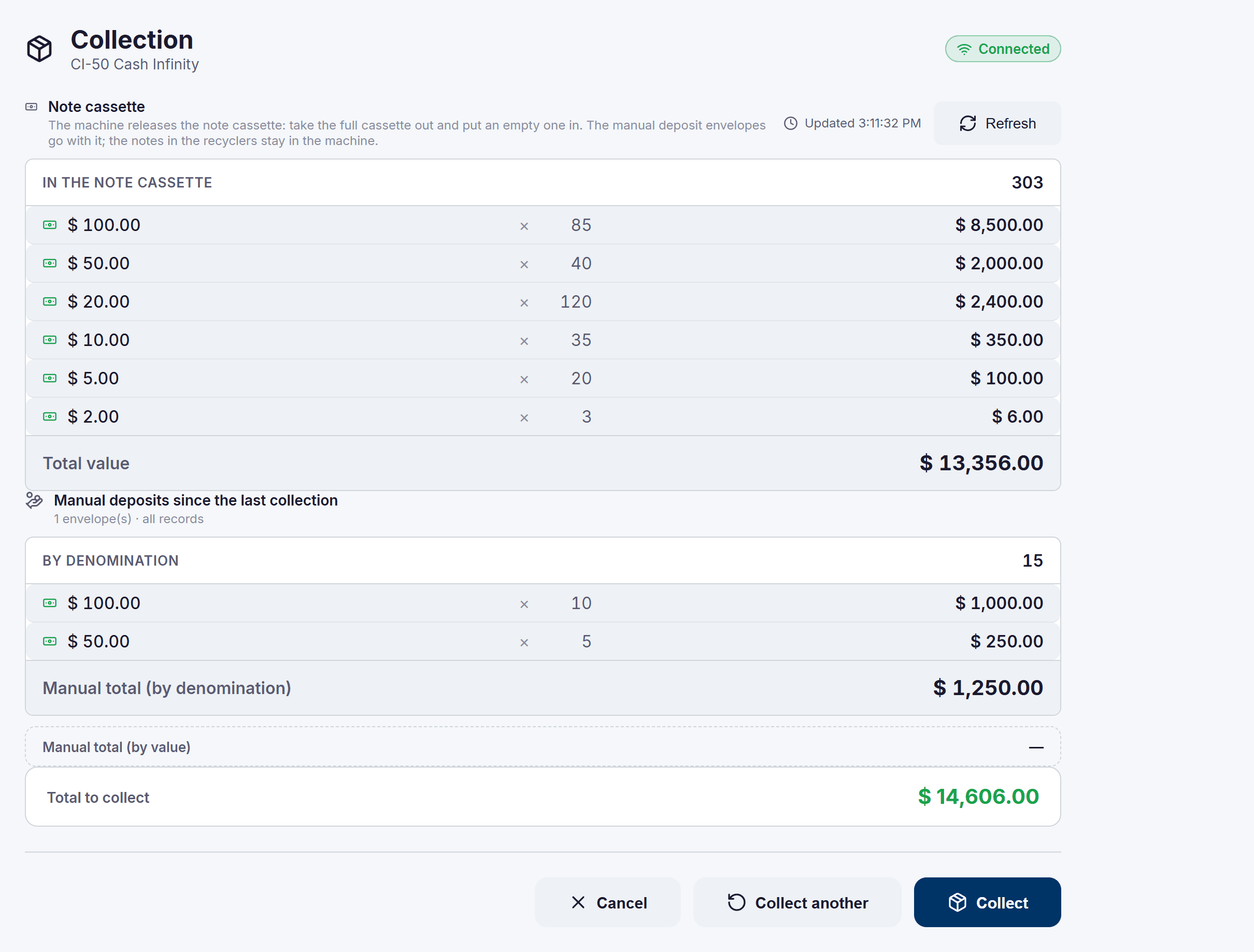
Tap Collection. If your profile can collect both, choose Note cassette or Coin box. Collect another changes it.
The screen shows what is in the container (In the note cassette or In the coin box), value by value, and the Total to collect. The note cassette also brings the manual deposit envelopes recorded since the last collection.
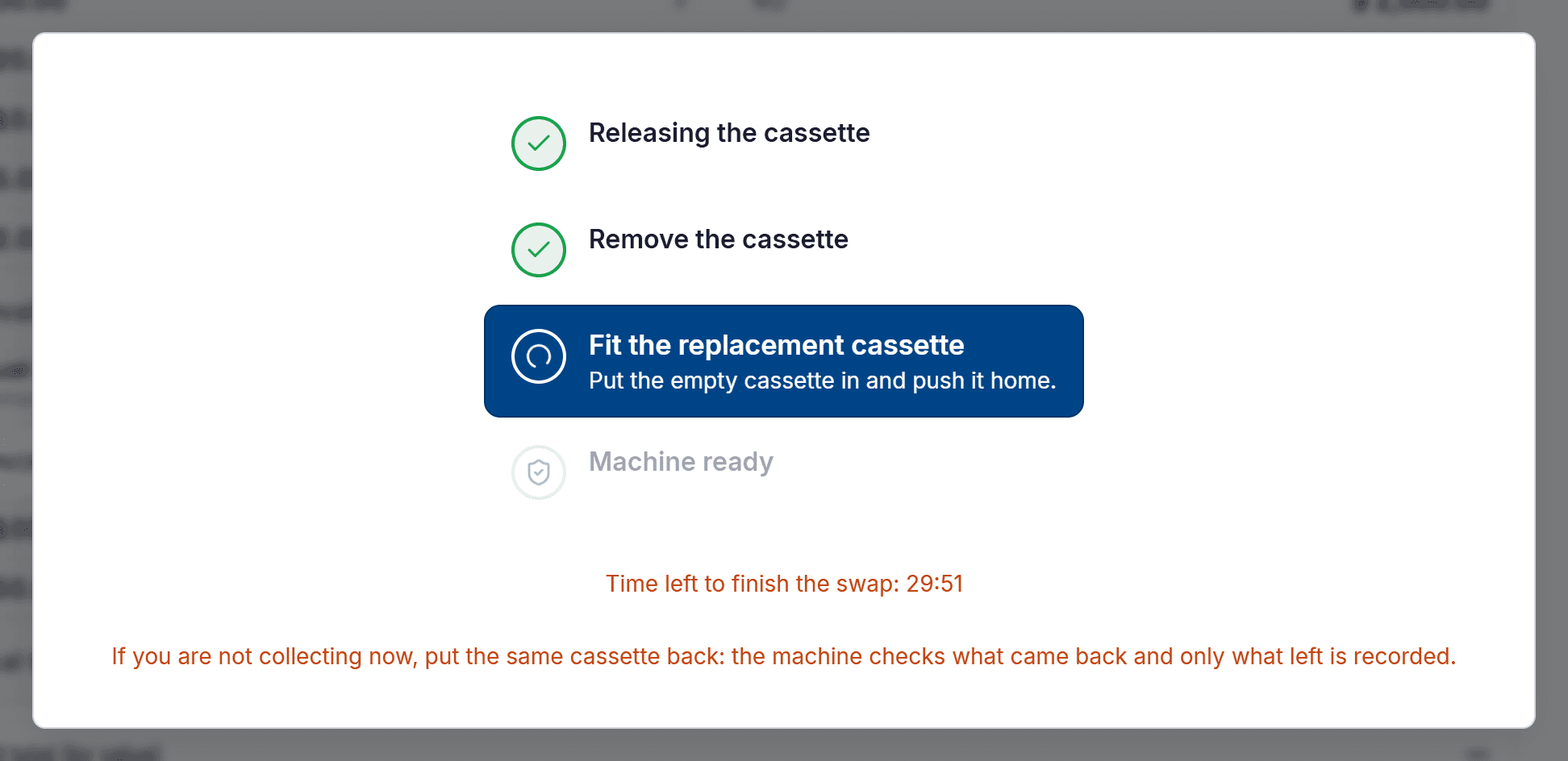
Tap Collect and confirm. Follow the steps on the screen:
| Note cassette | Coin box |
|---|---|
| Releasing the cassette: wait. | Releasing the box: wait. |
| Remove the cassette. | Take the coin box out. |
| Fit the replacement cassette: an empty one. | Put the empty box in. |
| Machine ready: the machine checks the new cassette. | Machine ready: the machine checks the box. |
The screen shows how much time is left to finish the swap (30 minutes).
The collection is recorded with what the machine measured leaving, and the receipt COLLECTION prints.
Changed your mind?
If you are not collecting now, put the same cassette (or box) back: the machine checks what came back, and only what left is recorded.
If the machine stops during the swap
The screen shows "Machine fault … during the swap". If the container is already out, finish the swap: within two minutes the machine checks what left, and the collection ends at that figure.
If the machine cannot say what left, an INCIDENT NOTICE prints (it is not a receipt: "KEEP THIS NOTICE WITH WHATEVER WAS TAKEN OUT OF THE MACHINE"), and the machine is held. A person with permission resets it on the Maintenance screen and checks it in Reconciliation: the collection receipt, with the real amount, prints then.